
I am currently more than happy with my media set up, which is based heavily around the Miglia TVMax+, an AppleTV, a Mac mini and close to 4TB of storage, distributed over a network that currently includes five Macs. The one thing that I haven’t really looked at yet is High Definition.
The main reason for this is that the Sky subscription that we have isn’t HD and wont be for a (very) long time as we don’t really watch that much TV, and only have one TV in Sands room that is HD Ready, and to be perfectly honest the cost of replacing the B&O system is just way too high to even consider HD!
That said with the availability of HD movies to rent off iTunes then I may start to look into that side of things a bit more – maybe for US TV shows and the latest movies.
As such I was interested to see what Elgato had done with EyeTV 3, especially as they have included a bunch of new features.
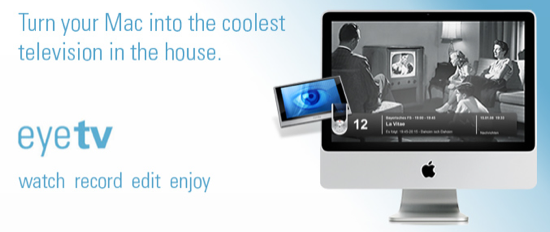
I always have the impression with software like this that it is a little like an iceberg. What you actually see is only really the tip, and I am sure that there is some pretty impressive and powerful stuff underneath the surface, but as the application is all about making life easy when it comes to getting TV onto your Mac then I am happy enough to deal with the above the surface stuff. And to be fair what it does it does very well. Fundamentally there are two aspects that you probably need to consider with software like this:
a) How easy is to to get the content onto the Mac, and
b) How easy is it to get the content off the Mac.
Getting the content onto the Mac is easy enough and things like pausing the TV and recording from the buffer are certainly useful and effective features. I particularly liked the updated interface which has a whole bunch of easy to use functions:
- Details – More information about the currently playing video
- Recordings – A list of all recordings in your EyeTV Library, organized by playlists
- Channels – A list of the channels you have available. The title of the current program on each channel will be listed, if available.
- Guide – The Program Guide will be shown – it can be used to select shows to record.
- More – Leads to the next page of the On Screen Menu.
- Live TV – Allows you to pick from the following options: Resume Playing, Mute, Picture-in-Picture, Favorite Channels, Input, Last Channel, Go to Live, Record, Aspect Ratio, Closed Captions, Audio Channels.
- Schedules – Lists all scheduled recordings. Select one to Delete, Disable, Export to iPod, Export to Apple TV, and Add to Playlist.
- Settings – Allows you to pick from the following options: Display Options, Audio Output, Controls, and Sort Order.
To be honest though, of the tip, this is the least exciting. There is only so much that you can do (and get excited over) about the showing of the content on the Mac. Sure it is easy to connect and set up. Sure it has a good scheduling and playlist interface, and yes without doubt the picture quality and ability to use the Mac as a TiVo style device is great – but we expect that these days right?
The real test surely is how easily we can get that content off the Mac and onto our device of choice! I figure that the majority of people that want to watch TV on their Mac are really not that keen on the TiVo style functions, they just want something they can watch sneakily in the office, or save space (or maybe even ‘justify’ a Mac purchase) in the kitchen, den etc. and as such probably only use the basic features anyway.
Well first up the ability to stream to your iPhone or Touch is pretty impressive, but ultimately pointless! If you are close enough to stream the content off your Mac i.e. in the same house, why not just watch the content on your Mac. Save your eyes, and save your battery on the iPhone in particular!
I really did like the editing feature. Great for editing out commercials and trimming off the pre and post rubbish that you invariably record as well. For more advanced editing, and I have yet to really figure out what that could be, exporting to iMovie was very easy, but as I say having got it there I really didn’t have anything that I could do with it!
So there you are; simple and unassuming and not that exciting to use. And there in lies its strength! It does exactly what you want it to do – view and record content, edit and export content, and transfer to your portable device with the click of an icon. WiFi streaming seems a waste to me, and I resent the fact that they haven’t integrated burning to DVD into the application and still rely on the (excellent) Toast, but that doesn’t detract from the usefulness of EyeTV 3 (79.95€ for full download, 39.95€ to upgrade). I would say though that the 79.95 tag is somewhat pricey, and overall not really wirth it, when you consider that for the same price you can get a Miglia TVMini including software.
I paid for my upgrade pretty much the day after 3 was announced at macworld. There was, and still is a lot of confusion over the 2 licences that one gets with the HDHomeRun. I didn’t want to wait for that to be sorted, though.
I really like it compared to 2.5. I, however, do use the wifi part. Remember, you don’t have to stream it to just an iphone or touch, but to any computer, including a PC. Also works away from the house if you do a little port forwarding. It works seamlessly with the Turbo.264 for the conversion to WiFi, (or AppleTV/iPod,) or if you don’t have one it uses QuickTime.
The edit feature is really easy for commercials and the like, as Chris said. I can remove all the commercials off an hour program in about 5 minutes. It shows a fine or course timeline of frames similar to QTPro. Works great with TitanTV, the US electronic guide.
Boy, recording HD signal from ClearQAM takes up a huge amount of space! Something like 16 Gig an hour vs. 3 for analog. Really does make all the difference when viewing on the computer, though.
The thing I don’t like about it is it wakes up the monitor when it starts to record a new program. The smart folders and smart guides are great. So, yah, I personally would recommend upgrading.
Now the big question for you, Chris. How does it stack up against Miglia’s The Tube?
I’m still trying to figure out if the eyetv 3 finally supports the canadian epg? Do you guys know?
@Wayne. I do not like The Tube s/w much at all to ne honest so EyeTV wins that one. The MigliaTV that they are devloping is as good, or shows signs of being as it still has some way to go.
@Mac. Sorry mate, no idea 🙁
Chris, I remember the discussions you had with Tim V for several weeks as you were setting up your original system using the Mac Mini at it’s centre. Now that you have an Apple TV, what changes did you make to your setup, and has it been an improvement on the Mini.
I’ve been confused by some, who say the Mini is a better alternative to the Apple TV.
That is a great question!
If I were to chose one it would be the Mac mini, as it has more flexibility. I have a Mac mini hooked up to our B&O system which means that whatever I am watching on the TV in Lounge I can also watch in my study or our bedroom, so can go to bed watching a film etc.
The Mac mini is also hooked up to three external drives (750, 750 and 320) which store all our movies and TV programs that we want to keep. Connecting externals to the AppleTV isn’t an option although some hacks have been published in the past.
So with the Mac min, front row and iTunes I am really happy with the set up. Of course it is one more Mac to maintain, but in addition to movies, videos, music and photos on the TV I do have the extra option of surfing the net etc if I can’t be bothered to get off the sofa 🙂
The AppleTV is easier to use, and very effective. YOu can set it up to stream from your library which is OK but I still tend to find an element of network fragging from time to time, especially if I am doing something else at the time. I use mine as as ‘additional’ option really. It is hooked up to the HDTV in Sands room that we try and use as a TV room from time to time. I have all our Photo’s, Podcasts and Videos stored on the 160GB drive, along with a selection of favourite and yet to be watched films – which involves some interesting rating and spamrt playlists in iTunes.
So it has given me a another option and something that I tend to think is easier to use. Of course once they upgrade the software (any noticed that they have slipped the date on that!!!) it will be even more powerful, but I stand by the fact that a entry level Mac mini is a much better option all things considered.
I have an EyeTV connected to my Sky Box. I cannot get the EyeTV to recognise the widescreen signal that the skybox puts out, as the Sky Box asserts a pin on the Scart socket and the EyeTV expects the American standard signal that is part of the composite video.
Does EyeTV 3 add any features to make this work better?
Richard
Hey there Chris,
I’ve gotten myself the EyeTV 3 upgrade as soon as I had a chance to and must agree with you and the others that there are quite a few improvements that make it interesting (well, especially the smart guide recording option for episode recording…) and the feature to boot your mac for recording is just a great thing (worked on 2.5 as well, but you need automatic login for it to work, still, no having a running mac all the day for one show to record 😉 ).
Anyway, what I dislike about EyeTV in general:
– Crappy TV Signal here in germany (might be one particular product from Elgato)
– The requirement for Admin Privileges to work (EyeTV 3 wouldn’t remember it’s activation key without admin privileges and both 2.5 and 3 were forgetting manually assigned epg channels, a workaround for that is temporarily getting admin privileges, do the changes, remove the admin privleges, but it sucks. Tech support from elgato just says ‘It needs admin privileges.’, no more information on that one.)
– The quite unhelpful answer of the tech support to the above question
@ Chris, thanks for the extra detail & explanation. Maybe you and Tim could chat about your revised setup for the benefit of others in the podisphere.
@Martin – hi. Have to say that I am more of a Miglia fan by a long way, and think their MigliaTV, price point and ease of use are (or will be) far superior 🙂
What you get up to in Germany?
@Jeremy – will do, always welcome suggestions as to my next ‘fight’ with Tim 🙂
I love Eyetv and have been using it since version 1, however there curently is a problem with version 3.
Many people (myself included) are having problems with the export feature, 1 in 10 exports will stall and eyetv needs to be force quit. Elgato are on the case but you should be aware.
Thanks for the heads up on the Dave. Guess I must have struck lucky with the few I tested it on. Is it a general issue or more prevelant when you exporty larger files?
Hi Chris,
Many people are reporting the same issue on Elgatos forum, basically on average 1 in 10 exports will fail regardless of size or export type. Elgato have stated that fixing this issue is currently their top priority.
I’m sure they will fix this soon.
Dave
I bought EyeTV 2 a while ago for my Miglia Evolution TV and later ended up getting a Hauppage Win TV Nova T for recording digital broadcasts too.
Worked well in both instances – particularly with the Nova T. (Identical hardware to Elgato’s own Eye TV for DTT stick I think.)
EyeTV 3 seems to work equally well so far. Haven’t noticed any export problems here as yet but I’ve just been exporting smaller files.
Have to admit I didn’t have any export issues either.
Hey Chris,
I noticed that you use EyeTV with a Miglia TVMax+. I just ordered a TVMax+ and was wondering if I should stick with the software that comes with or get EyeTV 3. I will be booting everything over to iTunes to watch on an apple TV and I noticed that the TVMax+ records in MPEG4 on the fly. Is this dependent on using Miglia’s software, or can I record on the fly in MPEG4 using EyeTV too? I don’t want to have to convert to MPEG4 after recording, but the editing features and the smart recording/ programing look to be superior in EyeTV 3. Your thoughts considering you have used both?
Cheers,
Nick
I am using the MigliaTV software now, with the TVMax+ and I much prefer it. It is true that the editing function is still in development, but the one click encoding is far superior and makes it a no brainer as far as I am concerned.
I have everything encoded for the AppleTV and sat in iTunes so I think you will be more than happy with the MigliaTV software – so save your money, use the Miglia software and enjoy the ease of getting content onto your Mac thanks to Miglia 🙂
Since you will get the Miglia software with the TV Max anyway, you might as well hold off on EyeTv until you’ve given Miglia’s offering a try.
In any case I just checked the Eyetv website and the TV Max Plus isn’t listed as being supported!
Cheers!
Steve
[quote comment=””]Since you will get the Miglia software with the TV Max anyway, you might as well hold off on EyeTv until you’ve given Miglia’s offering a try.
In any case I just checked the Eyetv website and the TV Max Plus isn’t listed as being supported!
Cheers!
Steve[/quote]
That is a good point 🙂
When I first got a TV Max it shippped with the EyeTV software, then it upgraded to TVMax+ and came with the MigliaTV software which is a much better package!
[quote comment=””]Hey Chris,
I noticed that you use EyeTV with a Miglia TVMax+. I just ordered a TVMax+ and was wondering if I should stick with the software that comes with or get EyeTV 3. I will be booting everything over to iTunes to watch on an apple TV and I noticed that the TVMax+ records in MPEG4 on the fly. Is this dependent on using Miglia’s software, or can I record on the fly in MPEG4 using EyeTV too? I don’t want to have to convert to MPEG4 after recording, but the editing features and the smart recording/ programing look to be superior in EyeTV 3. Your thoughts considering you have used both?
Cheers,
Nick[/quote]
Hi Nick, the key difference between the functionality that the software brings is EyeTV does not take advantage of the MPEG-4 hardware encoder of the TVMax, so you think have to export. Whilst on the flipside MigliaTV takes advantage of this and also allows you to pick the size in the preferences (Apple TV, iPod Best etc).
Hope that helps!
Jon
Miglia
Chris,
I am looking at setting up a Mac to TV, and like what you are saying regarding the Mini. My goal would be to watch TV on a flat screen that I would purchase, and to be able to view a smaller TV mounted in my study. Forgive my lack of knowledge as I do not know what a B&O system is. I would be starting from scratch as I don’t have Apple TV or the Mini or the TV’s for that matter. And of course I would like to be able to use my iPhone as a remote. My main thing that I would want to watch is the NHL Hockey Network Live package and TED.com (and Firefox). I heard there is a Hack to browse Firefox for Apple TV, however I would like your advice (detailed if you have time) on how I would go about setting up 1 flat screen and a study screen. Thank you very much in advance.
JaretManuel . Com
Sorry have been meaning to reply, will post some thoughts asap.